

I started noticing how quickly AI assistants moved from answering questions to handling small pieces of everyday life. A tool that once helped me rewrite an email can now sort information, summarize documents, manage schedules, browse websites, and connect with other services. The convenience is obvious, but so is the tradeoff: the more useful an assistant becomes, the more context it may need about the person using it.
I also found that privacy concerns feel different when an assistant is no longer waiting for a single prompt. Giving an AI access to a calendar or document for one task is one thing. Giving it continuing access to messages, files, browsing activity, or connected accounts creates a much larger window into daily life. That is where personal AI assistants and privacy become less about abstract technology and more about practical control over personal information.
Why Personal AI Assistants Need So Much Access
Personalization depends on context. An assistant cannot reliably understand preferences, priorities, relationships, or routines if it knows almost nothing about the user. That is why modern tools may request access to email, calendars, cloud documents, browser activity, contacts, or other connected services.
The issue is not simply how much data gets collected. It is what that data reveals when combined. A calendar can expose routines. Email can reveal relationships and business plans. Search and browsing activity can expose interests or sensitive questions. Even ordinary requests can contribute to a detailed behavioral profile over time.
Research into generative AI browser assistants has found that some tools can collect webpage content, form inputs, identifiers, and user prompts, with some information shared with third-party trackers. Sensitive pages can therefore become part of an assistant’s data flow even when the user is focused on an unrelated task.
The Privacy Risks Behind the Convenience

Cloud processing adds another layer to consider. When information leaves a device, users need to understand where it goes, how long it is retained, who can access it, and whether it can be used for purposes beyond the immediate request. Policies vary considerably, so assuming every assistant handles information the same way is a mistake.
Memory can also blur the line between a temporary interaction and an ongoing relationship with software. A remembered preference may make an assistant feel smarter, but accumulated memories can create a richer picture of a person. Data minimization becomes useful here: an assistant should have access to what it needs, rather than everything it could potentially use.
The risk grows when assistants connect with financial accounts, workplace systems, health information, or confidential records. A compromised account or poorly configured integration can turn a productivity tool into a pathway to much more valuable information. Privacy and cybersecurity are therefore closely connected.
When an Assistant Can Act for You
The biggest shift is autonomy. An assistant that drafts an email presents one kind of risk. An assistant that can send it, change a calendar appointment, fill out a form, purchase something, or modify a file has authority to affect the world outside the chat window.
That makes permission design critical. Users should think in terms of least privilege: give an assistant the narrowest access needed for a particular task. Read-only access is generally a different risk from permission to edit or send. Separating sensitive accounts from routine automation can also limit the damage if something goes wrong.
Prompt injection creates another problem. Instructions can be hidden inside webpages, emails, attachments, or other content an agent processes. If an assistant treats those instructions as trustworthy commands, malicious content could influence what it does. Strong authorization boundaries and human approval for consequential actions become especially valuable.
How to Use AI Without Giving Away Everything
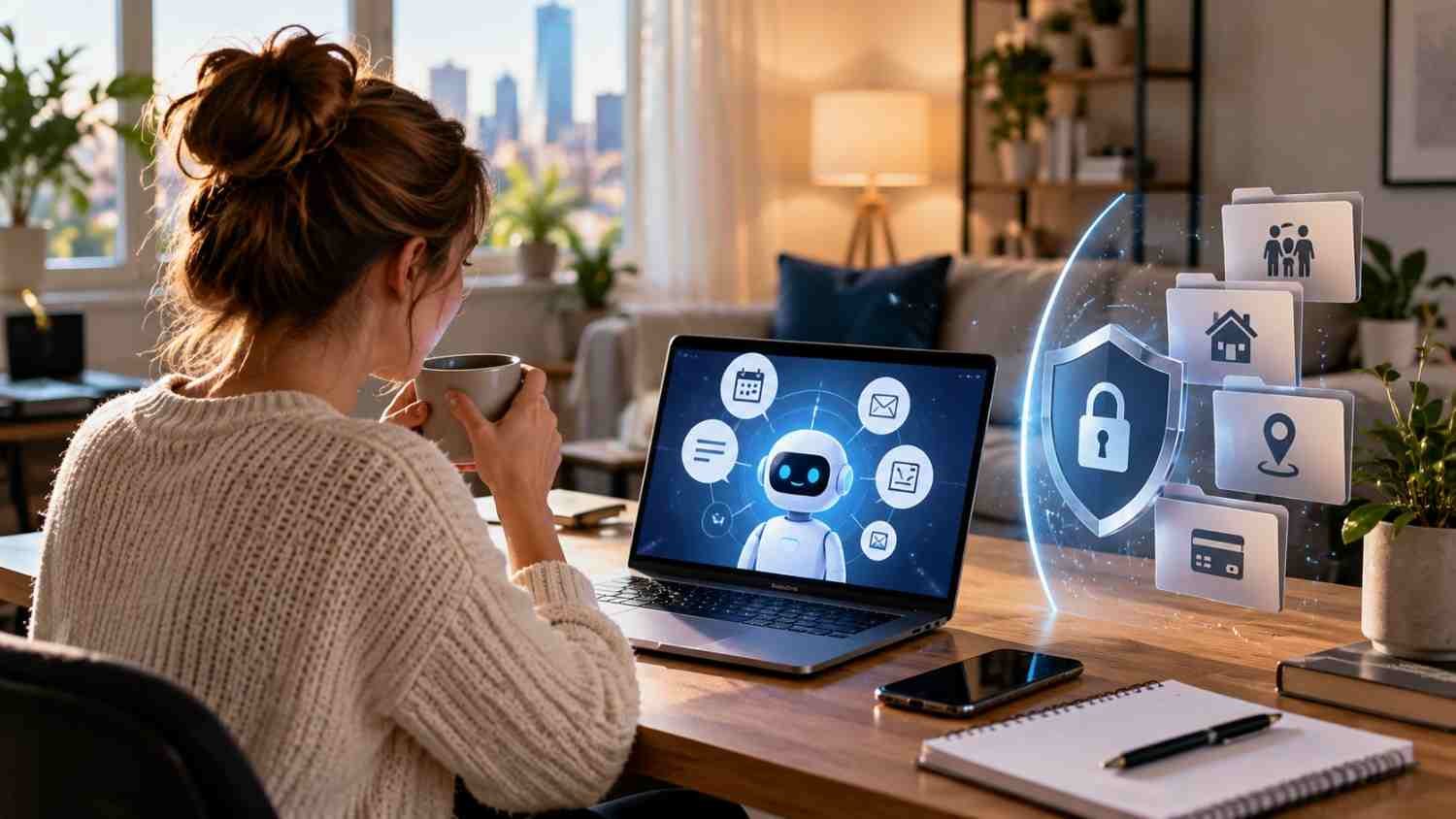
Good privacy practices do not require abandoning useful AI. They require being deliberate about access.
- Review every connected application and remove permissions you no longer need.
- Keep passwords, authentication codes, highly sensitive financial information, and confidential records outside general-purpose assistant workflows.
- Check retention, memory, and model-training settings before relying on a service regularly.
- Require approval before an assistant sends messages, makes purchases, changes important records, or performs other irreversible actions.
It also helps to separate convenience from necessity. If an assistant can summarize a document without accessing an entire drive, choose the narrower option. If a task only requires one calendar event, there is little reason to grant broad calendar control.
For organizations and individuals building adaptive technology systems, this same principle applies at a larger scale. Identity, authentication, authorization, auditing, and clear boundaries need to be designed alongside the assistant’s capabilities rather than added after a security incident.
FAQs: Personal AI Assistants and Privacy: Where Convenience Meets Risk
1. Do personal AI assistants store everything I tell them?
Not necessarily. Storage, retention, memory, and training practices vary by provider and product. Review the service’s privacy controls and policies rather than assuming that every conversation disappears after a session.
2. Can an AI assistant access my email?
It can if you grant the required permission. Depending on the integration, access may range from specific messages to broader mailbox functionality. Check exactly what the connection allows before approving it.
3. Are AI agents vulnerable to prompt injection?
Yes. External content can contain instructions designed to influence an agent. Limiting permissions and requiring human confirmation for sensitive actions can reduce the consequences of a successful attack.
4. What is the safest way to use a personal AI assistant?
Start with limited permissions, avoid feeding it unnecessary sensitive information, review connected services regularly, and keep human approval in the loop for important actions.
Keeping Convenience Under Your Control
The appeal of a personal assistant is easy to understand. The less time spent sorting messages, scheduling tasks, searching through files, or handling repetitive digital chores, the more attention remains for work and life that actually requires judgment. But convenience becomes harder to evaluate when the assistant’s usefulness depends on a detailed view of the person behind the account. The smartest setup is not necessarily the one with the most access. It is the one where every permission has a clear purpose, sensitive information has sensible boundaries, and the user understands what the system can see, remember, and do.
Privacy does not have to mean rejecting AI. It means deciding where convenience stops and unnecessary exposure begins. That distinction matters as assistants become more capable.