
I started noticing that everyday digital tasks were taking more effort than they should. Checking email, finding information, moving details into a calendar, drafting a reply, and remembering the next step often meant jumping between apps. The switching added up.
I also changed how I thought about AI. Instead of asking it to complete one task, I started thinking about what might happen if it could understand a goal, handle several steps, and know when to stop. That shift makes AI-assisted personal workflows feel less like another productivity feature and more like a new way of using everyday technology. That shift is already underway.
The Shift From AI Answers to AI Actions
A conventional AI assistant waits for a prompt and produces an answer. An AI-assisted workflow starts with an outcome. The system may interpret a request, gather information, compare options, create something, and trigger the next step without requiring a separate instruction for every move.
Most digital work is a chain of small actions. Planning a trip can involve checking dates, comparing flights, reviewing hotels, organizing details, and adding everything to a calendar. AI becomes more useful when it coordinates that chain.
Traditional automation often depends on fixed rules. It works well when inputs and sequences stay predictable. AI agents can handle more variation because they can interpret natural language, evaluate information, and adjust actions when circumstances change.
What an AI-Assisted Personal Workflow Looks Like
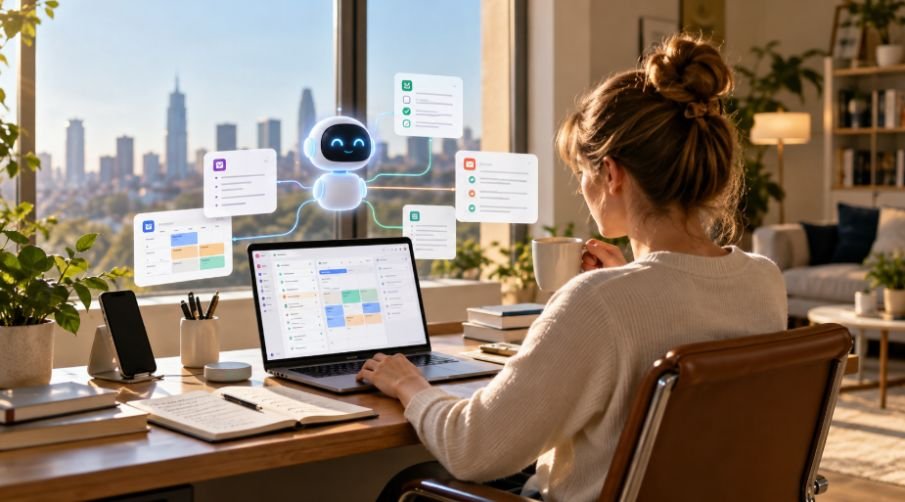
A workflow can start with managing an inbox. An AI system might identify urgent messages, group requests, summarize threads, prepare drafts, and flag messages needing decisions.
Scheduling offers another practical example. Instead of manually comparing calendars, an assistant can identify open windows, consider existing commitments, prepare an invitation, and ask for approval before sending it. The human controls the decision while coordination happens in the background.
Research works similarly. A person can describe a goal, and the system can break it into questions, gather information, compare findings, and organize the result. That creates a workflow around a goal.
Context Makes the Workflow More Useful
Automation becomes more valuable when an AI system has the right context. Knowing preferred meeting hours, frequently used documents, ongoing projects, or communication style can reduce the need to repeat instructions.
Memory and planning become important. A capable assistant needs to track the objective while completing actions. It also needs boundaries. Remembering everything is not automatically useful, and accessing every piece of personal data is unnecessary for many tasks.
The best workflows use selective context, bringing in what a specific job needs without unrestricted access to a person’s digital life.
From Apps to Personal Systems
The bigger change is happening between applications. People rarely complete meaningful tasks inside one app. A work request might begin in email, require information from a document, involve a calendar entry, and end with a message to another person.
AI can reduce those handoffs by coordinating across services.
This is one reason AI-powered operating systems are becoming a useful way to think about consumer technology, as the operating layer can understand what a person wants and connect the necessary tools. Not every task should become autonomous. Often, the smartest workflow is one where AI prepares the work and pauses where judgment matters.
This is one reason AI-powered operating systems are becoming a useful way to think about consumer technology. The operating layer can understand what a person wants and connect needed tools.
Not every task should become autonomous. Often, the smartest workflow is one where AI prepares the work and pauses where judgment matters.
Why On-Device Intelligence Matters
Personal workflows often involve sensitive information. Messages, photos, schedules, contacts, and documents can reveal far more than a single search query.
That makes local and cloud processing important. On-device AI can reduce latency and allow some tasks to happen without sending every piece of information to a remote service. Cloud systems remain useful for heavier reasoning, making hybrid processing likely.
This is also part of the broader conversation about why consumer technology is moving toward on-device AI. When intelligence sits closer to the person and device, assistance can become faster, more contextual, and potentially more private.
The Human Still Sets the Boundaries

More autonomy does not automatically mean better technology. An AI assistant can misunderstand a request, use outdated information, make an incorrect assumption, or take an action the user did not intend.
This is why understanding what is AI hallucination matters when relying on AI-assisted workflows, since confidently presented but inaccurate information can affect later decisions or actions.
Permissions and approval checkpoints matter. Low-risk tasks such as organizing notes can be automated more freely. Sending sensitive information, making purchases, changing appointments, or handling financial decisions deserves greater oversight.
Trust develops gradually. People need to see predictable behavior before handing a workflow more responsibility. Activity histories, cancellation options, and confirmation steps can ease that transition.
What Makes a Workflow Worth Automating?
The best candidates are repetitive tasks with clear outcomes and limited downside. Look for work requiring frequent copying, sorting, checking, or following up.
Good examples include:
- Summarizing recurring information and highlighting what changed.
- Preparing routine drafts while leaving final approval to the user.
- Collecting information from several sources and organizing it in one place.
- Tracking a recurring task and prompting for action when something changes.
The goal is to remove friction from routine work that consumes attention without requiring much judgment.
Frequently Asked Questions
1. What is an AI-assisted personal workflow?
It is a connected sequence of tasks where AI helps interpret a goal, plan steps, use relevant tools, and complete routine actions with human oversight.
2. How is it different from a regular AI chatbot?
A chatbot generally responds to individual prompts. A workflow can maintain context, coordinate multiple steps, interact with other tools, and continue toward a defined outcome.
3. Are AI-assisted workflows safe for personal information?
They can be useful, but privacy depends on services, permissions, storage practices, and processing methods. Sensitive actions should retain human control.
4. What tasks are best suited to AI workflows?
Repetitive, predictable tasks are a strong starting point. Email triage, scheduling, research organization, summaries, reminders, and routine drafts can save time without requiring complete autonomy.
The Technology Becomes More Personal
The most interesting part of AI-assisted personal workflows is not that a machine can perform more actions. It is that technology is beginning to understand tasks as connected experiences rather than isolated commands. That could make digital life feel less fragmented, especially when systems carry context between tools while respecting clear boundaries.
The useful future is not an AI that takes over everything. It is one that quietly handles tedious parts, asks when judgment matters, and gives people more room to focus on what deserves their attention.